
When it comes to professional branding, your email signature is more than just a name and a title—it’s a powerful marketing tool that reaches every client, prospect, and partner you communicate with. Yet, many businesses struggle to keep their email signatures consistent, up-to-date, and aligned with marketing campaigns.
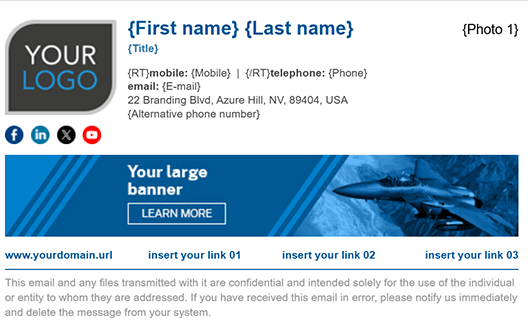 That’s where CodeTwo Email Signatures for Microsoft 365 shines. This award-winning solution takes your organization’s email signatures to the next level, giving you control, consistency, and a whole new way to promote your brand. Here are the top 5 reasons why CodeTwo is the ultimate choice for email signature management:
1. Signatures EVERYWHERE – On Any Device, Any Platform
Whether your team is sending emails from Outlook, a mobile device, or even a web browser, CodeTwo ensures your professional, branded signature follows them everywhere.
-
No more blank emails sent from phones.
-
No formatting issues across platforms.
-
Every outgoing email looks polished, professional, and on-brand, every single time.
2. Centralized Control – Update Signatures Company-Wide in Seconds
Gone are the days of chasing employees to update their email signatures manually. With CodeTwo, administrators can manage signatures from a single dashboard:
-
Instantly push updates to every user in your organization.
-
Eliminate inconsistent formats or outdated job titles.
-
Save time and ensure compliance with brand standards and legal disclaimers.
3. Dynamic Marketing Banners & Campaign Integration
Your email signature is prime real estate for marketing. CodeTwo lets you embed banners, promotional links, and targeted campaigns directly into signatures:
-
Update promotions globally in minutes—no manual work needed.
-
Schedule seasonal campaigns or time-limited offers.
-
Increase click-through rates without relying on paid ads.
Every employee becomes a walking, talking marketing channel with zero extra effort on their part.
4. Enterprise-Grade Flexibility & Compliance
Whether you need different signatures for departments, regions, or customer-facing vs. internal emails, CodeTwo has you covered:
-
Apply rules based on sender, recipient, keywords, or other conditions.
-
Automatically add legal disclaimers to ensure compliance.
-
Integrate seamlessly with Microsoft 365 and Azure AD for reliable, secure deployment.
5. Professional Look That Builds Trust
A well-designed, consistent signature builds credibility and makes your business look bigger, sharper, and more reliable. With CodeTwo, you can:
-
Use custom HTML designs that display perfectly on all devices.
-
Add social media icons, CTAs, meeting links, or customer survey buttons.
-
Make every email a polished, professional brand touchpoint.
Bottom Line
CodeTwo Email Signatures for Microsoft 365 doesn’t just solve the chaos of inconsistent signatures—it transforms your everyday emails into strategic branding and marketing assets. With centralized control, signatures everywhere, and dynamic campaign features, it’s an easy win for IT, marketing, and leadership alike.
👉 Ready to turn your email signatures into a powerful marketing tool? Learn more about CodeTwo here.